

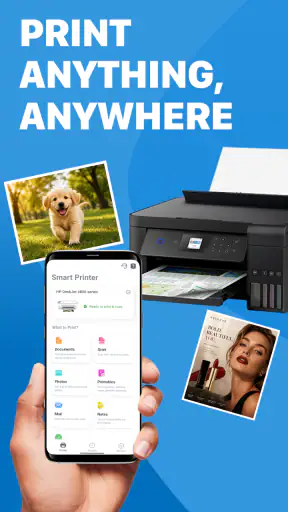
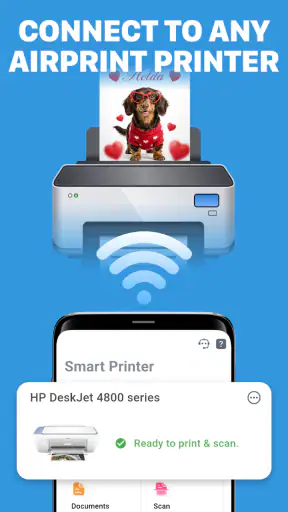
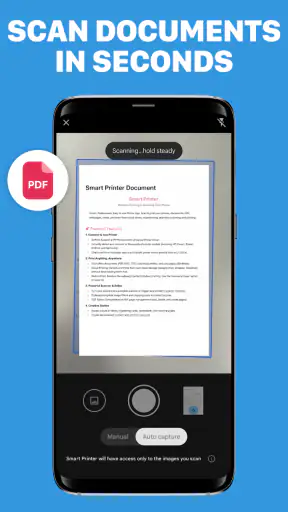
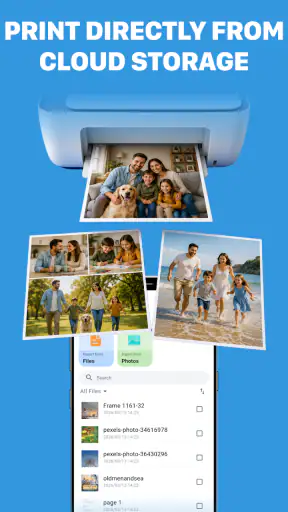
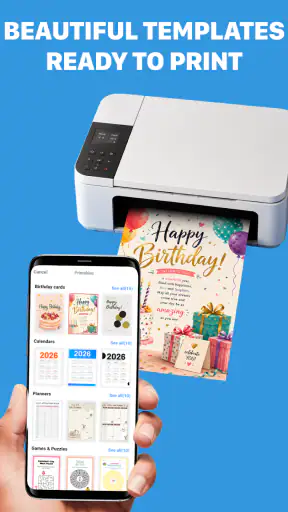
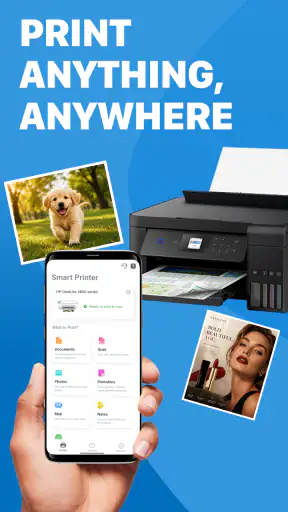
I tested Printer App: Print & Scan PDF as a practical productivity tool rather than treating it like a full replacement for every printer brand’s official software. Its purpose is straightforward: help you find a printer, send documents or photos to it, scan pages into PDF files, and make basic edits before sharing or printing. That combination makes sense for people who move between home, school, and office printers and do not want a separate app for every device.
The first thing I noticed is that the app is easiest to understand when you approach it with a specific task in mind. Printing a document, preparing a photo, or turning a paper page into a PDF gives the interface a clear purpose. It is less compelling if you only want a file viewer or a dedicated note-taking tool. In my experience, its value comes from bringing several small printer-related jobs into one place.
How Printer App: Print & Scan PDF fits into everyday printing
A free starting point with paid items inside
The app is free to install, which lowers the barrier for anyone who wants to test printer discovery and the basic workflow before committing to another tool. It also includes in-app purchases ranging from $8.99 to $49.99 per item. I would therefore judge it in two stages: first, whether the free experience handles your ordinary printing needs, and second, whether the paid options offer enough extra convenience to justify spending money.
That distinction matters because “free” does not automatically mean every useful function is free. I would install it with a particular job ready, such as printing a PDF or scanning a signed page, and check how far that workflow goes before considering a purchase. This is a better approach than paying immediately based only on the short description.
The app comes from FirstOrder.Apps and is listed for Everyone, so its presentation is aimed at general household and workplace use rather than a specialist professional audience. It supports devices running Android 7.0 or later. The current version is 1.1.5, which is the version I would use when comparing the experience on a compatible phone or tablet.
What the core workflow is good at
The strongest idea here is consolidation. Instead of opening a gallery app to select a photo, a separate document tool to prepare a file, and a manufacturer app to handle the printer, you can try to keep the job inside one productivity app. That is especially useful when the task changes halfway through. A page may begin as a scan, become a PDF, need a quick edit, and then go to a printer or another person.
Scanning to PDF is also more useful than it sounds. A casual scan is not only about making a digital copy; it can become a receipt archive, a school handout, a form for email, or a temporary backup of a paper document. The ability to edit the result before sending it onward makes the workflow more practical than simply taking a photograph of the page.
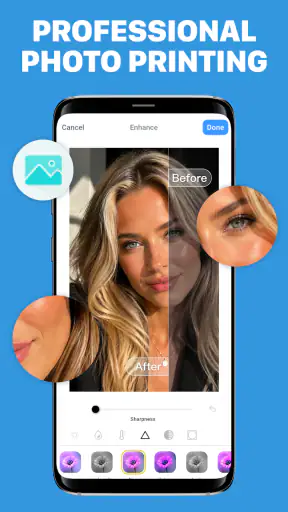
Photo printing gives the app a second everyday role. Someone may need to print an image for a project, a label, or a personal record without first moving it to a computer. I like that the app treats photos and files as related printing tasks rather than forcing users to think in separate categories.
A realistic home workflow
Imagine receiving a document in a messaging app while working from home. You save the file, open it through the printer utility, choose the nearby printer, and send it out without turning on a laptop. Later, you scan a paper receipt into a PDF, make a small adjustment, and keep the digital copy with your other records. That is the kind of repeated, low-drama usefulness I see here.
The same workflow can help a parent preparing a school form, a student printing a project page, or a freelancer who occasionally needs paper copies. The advantage is not that any one step is revolutionary. It is that the phone becomes a reasonable control point for several connected tasks.
Where it differs from the usual alternatives
The usual alternative is the printer manufacturer’s own application. Those apps can be the better choice when you need model-specific controls, detailed maintenance information, ink or toner status, or specialized paper settings. They are often designed around one brand, while a general printer app is more attractive when your devices change or when you want a simpler starting point.
Another alternative is using the phone’s built-in sharing and printing functions. That can be faster for a one-off PDF if the operating system already recognizes the printer. However, it does not necessarily give you the same scan-to-PDF and editing path in one place. I see this app as more useful than the system print menu when scanning and document preparation are part of the job, but less necessary when you only print occasionally.
Cloud storage and office apps are another comparison point. They are better for organizing documents, collaborating, and making substantial edits. Printer App: Print & Scan PDF is more focused on the last mile: getting a physical page or a clean PDF from the material already on your phone. I would not use it as my main document-management system.
Three practical habits that improve the experience
My first tip is to prepare the source before you start the printer step. If a photo contains unnecessary background or a document has several pages, decide what you actually need to send. This reduces the chance of printing the wrong image or creating a cluttered PDF. The app can help with editing, but it is still faster to begin with a purposeful selection.
Second, treat scanning and printing as separate checkpoints. After scanning, review the PDF before sending it anywhere. A quick check for missing edges, upside-down pages, or an accidental blank sheet can save paper and prevent an embarrassing reprint. This is a small habit, but it is one of the main reasons I prefer a scan-edit-review workflow over immediately sharing the first capture.
Third, use the free access as a compatibility test rather than assuming a universal result. Try the exact printer, file type, and scan job you care about. A general-purpose printer app may be convenient for everyday equipment, but a specialized printer application can still be the safer option for unusual hardware or advanced controls.
Friction you should expect
The app’s broad purpose is also its main trade-off. A tool that covers printer discovery, document printing, photo printing, scanning, PDF creation, and editing may feel less focused than an app built for only one of those jobs. If you already have a reliable scanner application and a manufacturer printing tool, adding another layer may not simplify anything.
There is also a practical difference between “can print” and “gives me every setting I need.” Basic home printing is one situation; specialty paper, precise layout work, borderless photos, or model-specific maintenance are another. I would choose the official printer software when the job depends on controls that a general utility may not expose.
The purchase structure deserves attention as well. Since the app is free but offers paid items, I would avoid treating it as automatically cheaper than alternatives. Free access has real value when it completes your task without payment. Paid value only makes sense if the unlocked convenience replaces a tool you already use or saves enough repeated effort to matter.
Who is most likely to get value?
I think this app suits people who print from a phone more than from a computer. It is a sensible candidate for households with occasional paperwork, students who receive files digitally, and small workspaces where scanning and printing happen in short bursts. It can also help users who have photos and PDFs scattered across their phone and want a single place to send them toward a printer.
It is particularly appealing if you switch between documents and images. A dedicated document scanner may be better for someone who only archives paperwork, while a photo-printing tool may be enough for someone who only prints pictures. The combined approach becomes more valuable when both tasks appear during the same week.
The Everyone age rating also makes the app broadly approachable for family use. That does not mean every person will need it, but it supports the idea of a general household utility rather than a niche business application.
Who should skip it?
I would skip it if your printer’s official app already works perfectly and you rely on brand-specific features. There is little reason to change a dependable workflow merely to place another app in the middle. I would also look elsewhere if your main need is advanced document editing, team collaboration, long-term file organization, or detailed scanner correction.
People who print only once or twice a year may find the phone’s existing print service sufficient. In that case, the extra scan and edit tools may not justify learning a new interface. Likewise, users who are uncomfortable checking in-app purchase boundaries should test the free workflow carefully before making a decision.
My value judgment after using it
The app’s best quality is convenience across connected tasks. Finding a printer, printing a file, printing a photo, scanning to PDF, and making an edit all belong to the same practical chain. That makes it more useful than a bare print button when your paperwork starts on paper and ends as a digital file, or when a phone-held image needs to become a physical page.
Its value is weaker when you need deep control or already have a stable collection of specialized tools. The free entry point is a genuine advantage, but the in-app purchase range means I would evaluate the exact function I need instead of assuming every capability is included at no cost. For occasional users, free access may be enough; for frequent users, paid options should be judged by time saved rather than by the existence of extra features.
The app has built a sizable audience, with over a million installs and an average rating of 4.3 from around thirty-one thousand ratings. Those figures suggest that the general concept is resonating with many users, although they do not replace testing your own printer and files. I would treat that reception as a reason to try it, not as a promise that every setup will behave identically.
My recommendation
I recommend Printer App: Print & Scan PDF to anyone who wants a general Android productivity utility for everyday printing and scanning, especially when files, photos, and paper documents all appear in the same routine. Start with the free experience and test one complete job from source selection through final output. If it handles that job cleanly, it may become a useful shortcut.
I would not recommend paying simply because the app combines several functions. Pay only when a specific paid capability solves a recurring problem that your existing printer or document tools do not handle well. For advanced printer control, the official manufacturer application remains the safer choice; for basic mixed printing and PDF work, this app is a convenient option worth trying.
My bottom line: it is a practical bridge between the files on your phone, the pages on your desk, and the printer in the room. The free starting point makes experimentation easy, while the paid structure calls for a little care. If your needs are ordinary and varied, I can see this becoming genuinely useful; if your needs are highly specialized, a dedicated alternative will probably serve you better.


